
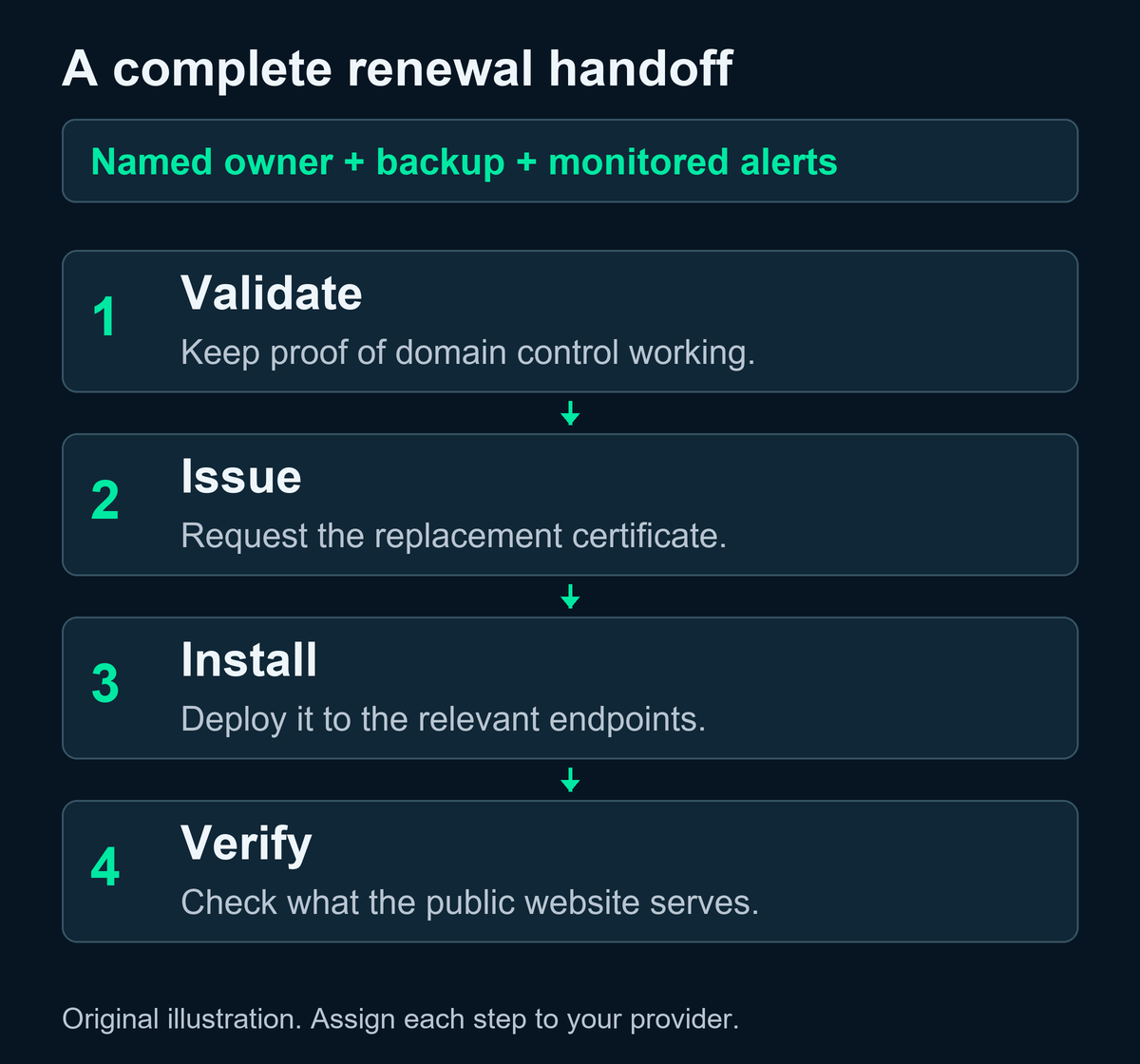
Your website needs a named person or provider responsible for replacing its SSL certificate before it expires. With 200-day SSL certificates, that responsibility reaches beyond paying the annual bill: someone must keep validation working, install the replacement, and confirm the website is actually using it.
If your hosting provider handles the entire process automatically, your main job is to confirm the scope and escalation contact. If your certificate seller, host, developer, and IT provider are separate businesses, document their responsibilities instead of assuming one of them covers everything.
What 200-day SSL certificates mean for your website
An SSL certificate, more precisely an SSL/TLS certificate, helps a browser establish an encrypted connection and authenticate the server it reaches. It has an expiration date. An expired certificate can interrupt access with browser warnings, as Mozilla’s certificate guidance explains.
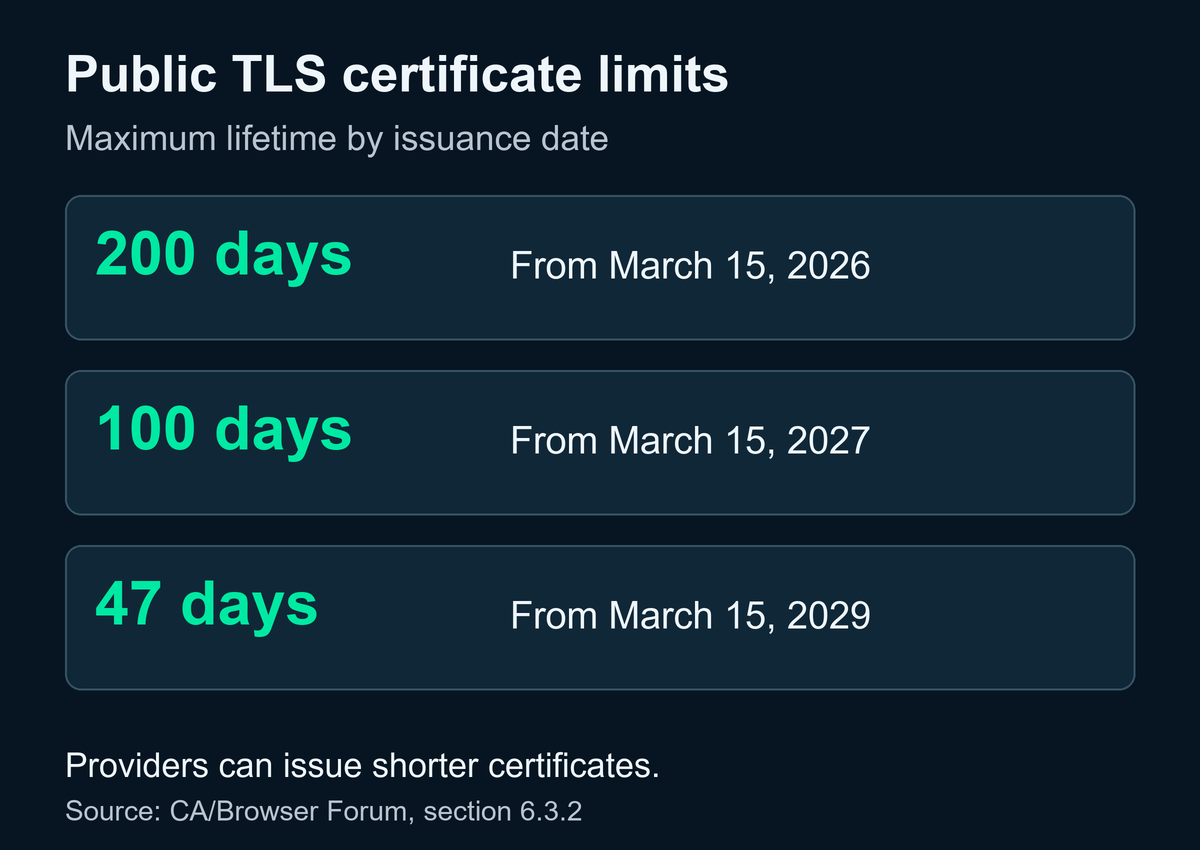
As of October 10, 2026, the maximum lifetime for a newly issued publicly trusted website certificate is 200 days. The CA/Browser Forum’s current requirements, section 6.3.2, set this schedule:
| Certificate issuance period | Maximum lifetime |
|---|---|
| March 15, 2026 through March 14, 2027 | 200 days |
| March 15, 2027 through March 14, 2029 | 100 days |
| March 15, 2029 onward | 47 days |
These are ceilings, not required durations. A provider can issue shorter certificates; the current recommended ceiling is 199 days. The change does not retroactively shorten older certificates. Private certificates used only within an organization’s own internal trust system fall outside these public certificate rules.
The timing matters now because the earliest certificates issued under the March change are completing their first validity cycle this fall. Sectigo’s September 23 update discusses that first renewal cycle. Your site’s actual expiration date still depends on the certificate it serves.
An annual SSL bill and a certificate expiration are different
A paid subscription may cover a year or longer while delivering several shorter certificate files during that term. For example, Namecheap’s coverage documentation describes prepaid coverage delivered through successive certificates, with replacement files needing issuance and installation. Other providers’ terms and automation options differ.
Separate three questions when you review a renewal notice:
- Is the subscription paid? This concerns billing and the purchased coverage period.
- Has a replacement certificate been issued? This concerns validation and receiving the new certificate.
- Is the website serving that replacement? This concerns installation and verification.
A receipt answers the first question. It does not, by itself, answer the other two. Likewise, renewing your domain registration is a separate task from replacing the website’s certificate.
Assign one owner, then map the handoffs
Choose one accountable contact for the website’s renewal process. That contact can coordinate work across providers; they do not have to perform every technical step.
Use this responsibility checklist in your next conversation with your host or web partner:
- Accountable owner: Who follows a failed renewal through to resolution, and who is their backup?
- Billing: Who maintains the certificate or hosting subscription, and receives payment notices?
- Validation: Who maintains the access needed to prove control of the domain? If DNS is involved, who can approve and make the required changes?
- Issuance: Which provider or system requests the replacement certificate?
- Installation: Who puts it on every relevant server, hosting platform, or other endpoint?
- Verification: Who checks the certificate presented to visitors after replacement?
- Monitoring: Where do expiration and renewal failure alerts go, and who acts on them?
DNS is the system that directs a domain name to its online services. The company selling your domain may also host DNS, but that is something to confirm. A web developer who designed the site may have no ongoing access or maintenance agreement.
The Forum also limits how long domain validation evidence can be reused. Ask whether your provider can repeat validation without relying on an employee’s old inbox or a former contractor’s account. Have the responsible technical provider review access needs; do not make unfamiliar DNS changes just to clear a notice.
Check what “automatic renewal” actually includes
Ask your provider to describe the process from start to finish. Automatic payment, automatic issuance, and automatic installation are different capabilities.
ACME, the IETF’s standard certificate management protocol, supports automated validation and certificate issuance. A compatible deployment still needs a working client, appropriate access, installation handling, and monitoring. The Let’s Encrypt integration guide also emphasizes renewal automation and failure notifications.
For a website behind a content delivery network or proxy, ask about both sides of the connection. Cloudflare’s SSL/TLS concepts documentation explains the distinction between the certificate visitors receive at its edge and a certificate on the origin server behind it. A provider’s management of one does not automatically establish responsibility for the other. Not every origin certificate follows public certificate lifetime limits.
Request a short written confirmation of what is automated, which hostnames it covers, who receives failures, and how successful replacement is checked. Include the main domain, its www version, and any customer portal or other business subdomain that you actually use.
Choose a renewal approach your team can maintain
Provider-managed certificates can be practical when the hosting platform controls issuance and installation. Confirm coverage for your domain configuration, any separately hosted services, monitoring, and the support contact. Avoid buying a separate certificate solely because the public maximum changed if your existing arrangement already handles the requirement.
Automation on infrastructure you control can suit a business with a custom website or server setup. It requires someone to maintain the integration, manage access, check deployments, and handle failures. Compare that ongoing work with what your existing host or web partner can provide before choosing a new tool.
Manual replacement may remain necessary for a particular setup. Keep a named technician, a backup, an agreed renewal window before expiration, and a record of successful installation. As lifetimes shorten, assess whether repeated manual work remains reasonable. A reminder without a responsible person and available access is an incomplete process.
There is no universal renewal date or alert interval that fits every provider. Set the schedule around the actual certificate lifetime, the provider’s renewal behavior, and the time your team needs to recover from a failed attempt.
Make the next renewal easy to explain
Start with a simple record for each business website: hostname, hosting provider, certificate provider or platform, current expiration, renewal method, accountable contact, backup contact, and alert destination. Keep account references there, with credentials stored in your approved password management system.
Ask the responsible provider for evidence of the last successful replacement and confirmation that the public website presents the expected certificate. Review the record when you change hosts, move DNS, add a portal, or change support providers. Those transitions are useful moments to check the handoffs again.
If responsibility is unclear, bring that record to your next support conversation. Topshelf Technology’s Managed Web Solutions cover website design and ongoing care as separate choices, so the conversation can start with the website you already have. Contact TST to discuss your platform and confirm the scope of hosting, certificate management, monitoring, and support that fits your business.