
Seeing Google Ads limited by budget does not automatically mean you should increase spending. The status signals that a campaign’s budget is restricting its opportunities under the current settings. Before approving more money, check what counts as a conversion, whether recent results are complete, and whether the inquiries become customers at a cost your business can support.
A useful budget review connects the advertising account with the people answering calls, qualifying leads, and closing work. That matters even more after Google’s August 2026 change to target-based bidding. A campaign can follow its settings correctly while producing a result the business does not want.
What Google Ads limited by budget actually tells you
Google provides budget recommendations when a campaign is held back by its budget, including when a Maximize Clicks campaign could capture more traffic. Its recommendations consider recent performance, the current budget, keywords, and targeting. A recommendation may be absent when data is limited or the campaign rarely meets its budget. See Google’s explanation of the status.
That is an advertising-system signal. It does not establish your profit margin, the quality of a completed form, or your team’s capacity to serve another customer. Those are separate checks. A small business with useful inquiries and room for more work faces a different decision from one paying for irrelevant requests.

Review your bid target before adding budget
Google says its change to budget-constrained, target-based bidding rolled out globally from August 17 through August 27, 2026. Affected campaigns now optimize more consistently toward the target entered in the account. Google did not automatically change advertisers’ budgets or bid targets. This applies to specified campaign types and strategies, including Target CPA and Target ROAS, rather than every campaign. The current bidding-change FAQ explains the scope and exceptions.
Target CPA is the desired average cost for a conversion action. It is an optimization target, not a guaranteed price for each lead. Target ROAS aims for conversion value relative to ad spending. A reported revenue return still needs to be assessed against the costs of delivering the sale. Google explains the mechanisms in its Target CPA guidance and Target ROAS guidance.
If an old target is looser than the efficiency you actually need, increasing the budget may scale toward the wrong business expectation. Compare the saved target, mature actual results, and the cost the business can accept. Google’s change explanation describes why a campaign that previously beat its target can move closer to that target. It does not mean every advertiser should lower a target or change strategy.
Check what your campaign calls a conversion
Ask which actions the campaign uses for bidding. A form submission, a booking, and a completed sale measure different stages of the customer journey. If an easy action is being treated as the outcome, a good-looking conversion count can conceal a weak sales pipeline.
In Google Ads, primary conversion actions can be used for bidding when their standard goal is selected for the campaign. Secondary actions are generally observation-only, but a custom goal can use secondary actions for bidding too. Have your account manager verify the actual goal configuration rather than relying on the label alone. Google’s primary and secondary conversion documentation explains that distinction.
Then reconcile the advertising report with the sales record. How many inquiries were relevant? How many received a response? How many became customers? A CRM or a consistently maintained lead log can help answer those questions without assuming that every tracked action has equal value.
For an illustrative month, suppose $1,500 in ad spending produces 50 recorded inquiries, 10 qualified leads, and three customers. The same spending works out to $30 per inquiry, $150 per qualified lead, and $500 per customer. These are example calculations, not campaign results or a forecast. They exclude management fees and other business costs.

The decision changes depending on which of those numbers the business needs to improve. More forms may help when follow-up and sales performance are healthy. When most requests are unsuitable, first investigate targeting, the offer, measurement, and the website experience. If inquiries are good but go unanswered, address the handoff before paying for additional volume.
Allow for conversion delay
The newest results may be incomplete. A person can click today and submit an inquiry later; a qualified opportunity may take longer to become a sale. Google’s conversion lag documentation explains how that delay can make recent CPA look higher and ROAS look lower before conversions arrive.
Ask your marketer to compare periods with similar maturity and separate completed outcomes from estimates. For a business with a long sales cycle, a few recent days cannot answer the same question as a mature customer cohort. Compare equivalent weekdays and note changes in demand, your offer, and the website.
For the target-based bidding change, Google recommends allowing one to two conversion cycles when evaluating performance after target adjustments. That is not a universal number of calendar days. Agree on a review date using the campaign’s actual conversion timing, and document changes so the next review has useful context.
Choose whether to hold, repair, or increase
Use the evidence to choose a next step. The following guide is a business planning aid, not an instruction to change an unfamiliar account.
| What the review finds | A reasonable next step |
|---|---|
| Recent results are still incomplete | Hold the budget decision until enough conversions have arrived to assess the period. |
| Tracking, lead quality, or follow-up is unreliable | Repair the measurement or customer handoff, then validate the result before scaling. |
| Mature results meet the accepted acquisition cost and the team has capacity | Consider a defined budget test with an owner, spending allowance, and review date. |
| The bid target no longer matches business goals | Review budget and target together with the account manager; document the tradeoff before changing either. |
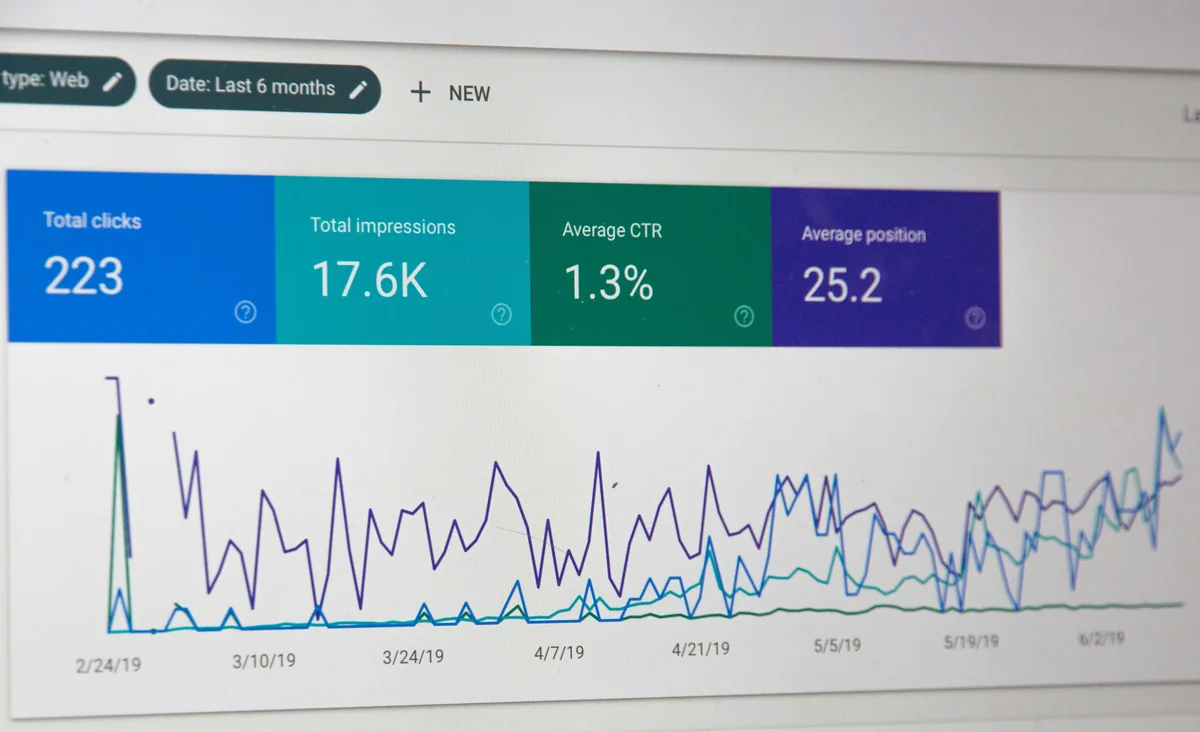
A tighter efficiency target can reduce the opportunities the campaign can pursue. A looser target can trade efficiency for volume. Ask for an explanation of the expected tradeoff and the evidence behind it. A forecast is a planning input; it cannot guarantee the cost or quality of the next lead.
Also approve the spending exposure, not just the number in the budget field. For most campaigns using an unchanged average daily budget, Google’s limits are up to twice that amount on a day and 30.4 times that amount in a month. Exceptions and budget changes matter. For example, a $50 average daily budget commonly means a daily limit of $100 and a monthly limit of $1,520 under those conditions. Review Google’s spending limits and how budget changes take effect before approving an increase.
Ask for a budget decision you can review
Before approving a change, ask your marketer or agency for a short written decision that answers these questions:
- Which campaign and bidding strategy are we changing, and what is its current target?
- Which conversion actions guide bidding, and how do they relate to qualified leads or sales?
- Are the comparison periods mature enough, and what conversion delay remains?
- What do we know about cost per qualified lead or customer, and what is still unknown?
- What will change, what spending exposure are we approving, and who owns follow-up?
- When will we review the result, and what evidence would justify continuing, adjusting, or stopping the test?
Keep a record of the baseline, the proposed change, the owner, and the review date. If several settings must change together, explain why and acknowledge that their separate effects will be harder to identify. A review should leave you able to explain what was approved and why.
Topshelf Technology connects paid search, website conversion, analytics, and CRM reporting so marketing discussions can follow the inquiry beyond the click. The services and responsibilities depend on the engagement you choose.
If your next budget conversation starts and ends with the platform’s recommendation, talk with TST about the campaign, tracking, and customer handoff you want to review. Start with the decision you need to make and the evidence already available.